Get to Your Files Faster by Choosing the Best Finder View
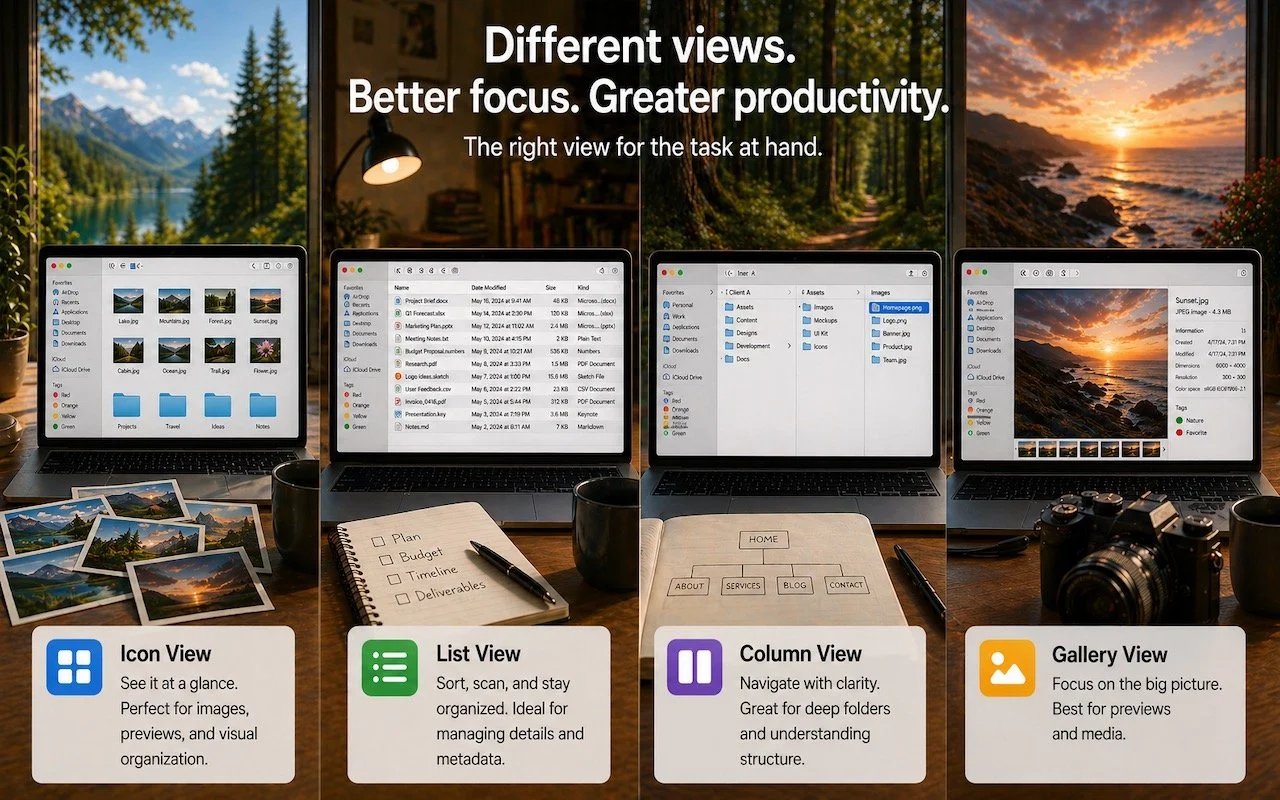
/Icon, List, Column, or Gallery? Each Finder view has its strengths. Match the right view to your task and spend less time wrestling with your files.
Read MoreIcon, List, Column, or Gallery? Each Finder view has its strengths. Match the right view to your task and spend less time wrestling with your files.
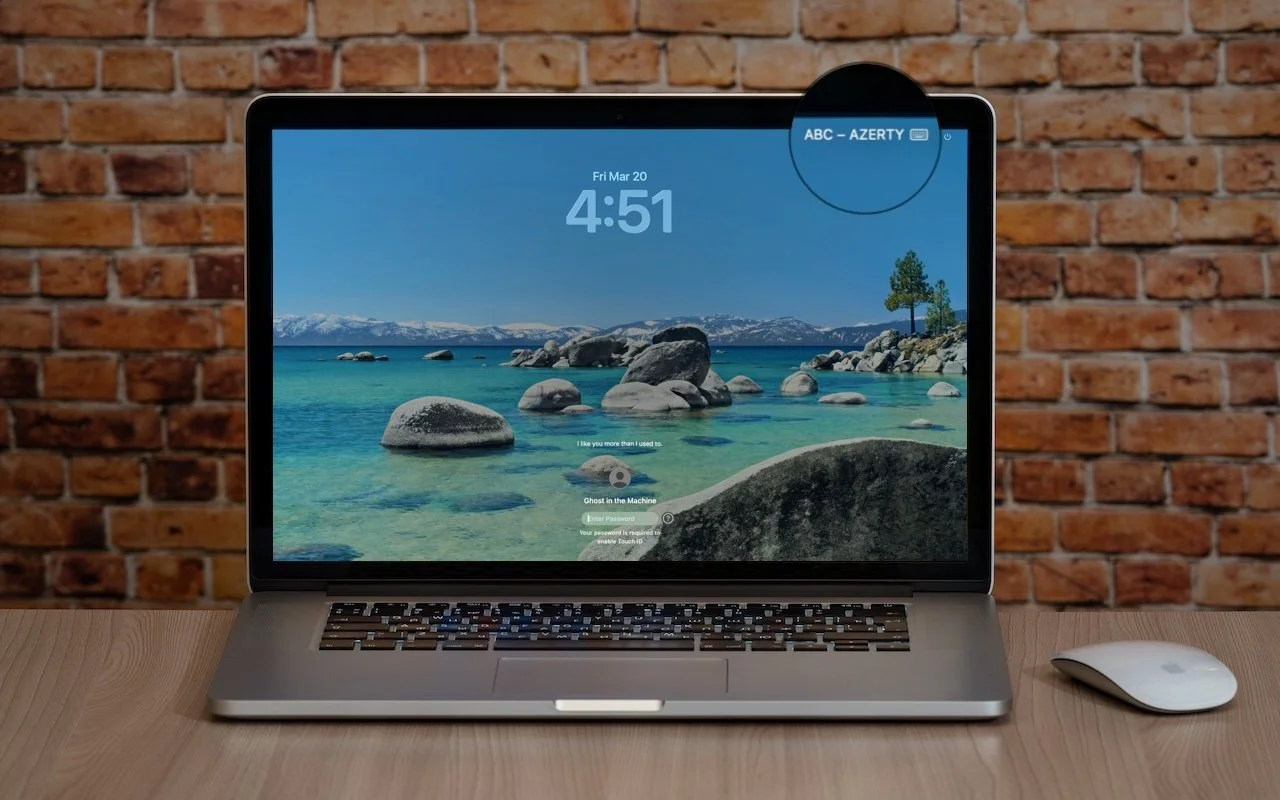
Read MoreIs your Mac typing the wrong characters or rejecting your password? You may have accidentally switched keyboard layouts. Here’s how to check your input source and prevent it from happening again.
Read MoreApple’s Focus can silence distractions when you need quiet time, but its complexity can cause you to miss important notifications. Learn how to configure it safely—and avoid the pitfalls that lead to missed calls and messages.
Read More
Do you think using Dropbox or iCloud Drive means your files are backed up? Wrong. Delete or corrupt a file, and that change syncs everywhere instantly. Here’s why cloud storage isn’t a backup—and what to do about it.
Read More
Frustrated when your Mac apps don’t remember their windows—or when they stubbornly reopen old documents? Two little-discussed settings control this behavior. Here’s how Apple’s Resume technology really works.
Read MoreTired of truncated filenames in the Finder’s Column view? macOS 26.1 Tahoe adds a simple checkbox to auto-resize columns—and you can enable the same feature in earlier macOS versions with a quick Terminal command or free utility.
Read MoreApple’s new Creator Studio bundle includes Final Cut Pro, Logic Pro, Pixelmator Pro, and more—plus premium content and AI features in the iWork apps—for $12.99/month or $129/year. Don’t worry—Keynote, Pages, and Numbers stay free for existing features.
Read MoreWhen should you upgrade to macOS 26 Tahoe? There’s no rush to install it today, but we believe it’s safe for those who want to take advantage of the new features. Here’s what to do before, during, and after the upgrade.
Read MoreDark room, important video call? macOS 26.2’s Edge Light transforms your Mac’s display into an on-screen ring light, illuminating your face so you’re visible on camera.
Read MoreApple’s Reminders app offers more than simple notifications—from location-based alerts to the new alarm feature in iOS 26.2, here’s how to make sure you never miss an important task.
Read MoreTraveling across time zones? Reminders in iOS 26, iPadOS 26, and macOS 26 finally lets you set a time zone per reminder so alerts fire at the right local “wall clock” time.
Read MoreSpotlight in macOS 26 Tahoe received a major upgrade, and you can now filter results, run app actions, search sites directly, and browse clipboard history—all starting from a quick press of Command‑Space.
Read MoreConversation backgrounds in Messages look cool, and they’re shared with others on iOS 26, iPadOS 26, and macOS 26 Tahoe. Pick an appropriate image and explain what you’ve done to delight your contacts rather than confusing them.
Read MoreSpeed up your Mac’s startup, reduce conflicts, and improve security by cleaning out old login items. It takes just a minute in System Settings.
Read MoreKick off 2026 with smart security habits: back up every device, stay current on software updates, outsmart phishing attempts, avoid sketchy sites, and streamline your logins with a password manager.
Read MoreWondering if AppleCare is worth it for your Apple devices? Get clear guidance on coverage options, including details about the new AppleCare One plan that could save you money.
Read MoreA clever new scam masquerades as a CAPTCHA test, asking users to paste text into Terminal to prove they’re human. Instead, it installs malware designed to steal passwords, browser data, and other sensitive information.
Read MoreStill using an Intel-based Mac or app? With Apple’s recent announcement of end dates for both macOS and Rosetta 2 support, it’s time to plan your transition to Apple silicon.
Read MoreApple has started moving the Mac lineup to the M4 family of chips with the updated iMac, redesigned Mac mini, and enhanced MacBook Pro. They’re great machines, particularly for those who need to upgrade from an Intel-based Mac.
Read MoreSorry, 27-inch iMac lovers, but Apple isn’t going to release a 27-inch iMac with Apple silicon chips. We explain why and run down the upgrade options for those who need to move on.
Read More